Bug #5838
openLogs Browser fails to enumerate log folder and returns no results for valid filters
0%
Description
The Logs browser in Tools → Logs is not functioning correctly when using the default AdiIRC log directory.
- Summary of the problem
When the log folder is set to:
C:\Users\Barry\AppData\Local\AdiIRC\Logs
the Logs dialog fails to enumerate any log files. As a result, valid filename filters (e.g. `.log`, `*.log`) and content searches return either no results or incorrect results.
- Observed behaviour
- Setting Filename: to `.log` returns no results, even though the folder contains many `.log` files.
- Setting Filename: to `*.log` also returns no results.
- Setting Search for: to a network name (e.g. `DALnet`) returns inconsistent results:
- Sometimes nothing appears.
- Sometimes it returns DALnet logs plus status logs from other networks.
- Reversing the filters (e.g. `DALnet` in Filename and `.log` in Search for) still returns no results.
- File Explorer correctly shows all logs in the directory, so the folder itself is valid.
- Expected behaviour
- The Logs dialog should enumerate all files in the selected folder.
- Filename filters should correctly match log files (e.g. `.log` or `*.log` should show all logs).
- Selecting a network should not cause unrelated logs to appear.
- Searches should not return empty results when matching files exist.
- Steps to reproduce
1. Open Tools → Logs.
2. Set Folder:
`C:\Users\Barry\AppData\Local\AdiIRC\Logs`
3. Set Filename: `.log`
4. Leave Search for: empty.
5. Click Search.
6. No results appear, even though the folder contains many `.log` files.
- Environment
- Windows 11 Pro version 25H2
- AdiIRC 4.4
- Notes
This appears to be a deeper issue with how the Logs dialog handles:
- folder enumeration,
- wildcard patterns,
- and network/content filtering.
The result is that the Logs browser cannot reliably display or search log files in the default AdiIRC log directory.
Files
PA Updated by Per Amundsen 22 days ago
I am not able to reproduce this issue, all the queries i have run returns the expected files, maybe adiirc have the wrong log folder?
BS Updated by Barry Suridge 21 days ago
Per Amundsen wrote in #note-1:
I am not able to reproduce this issue, all the queries i have run returns the expected files, maybe adiirc have the wrong log folder?
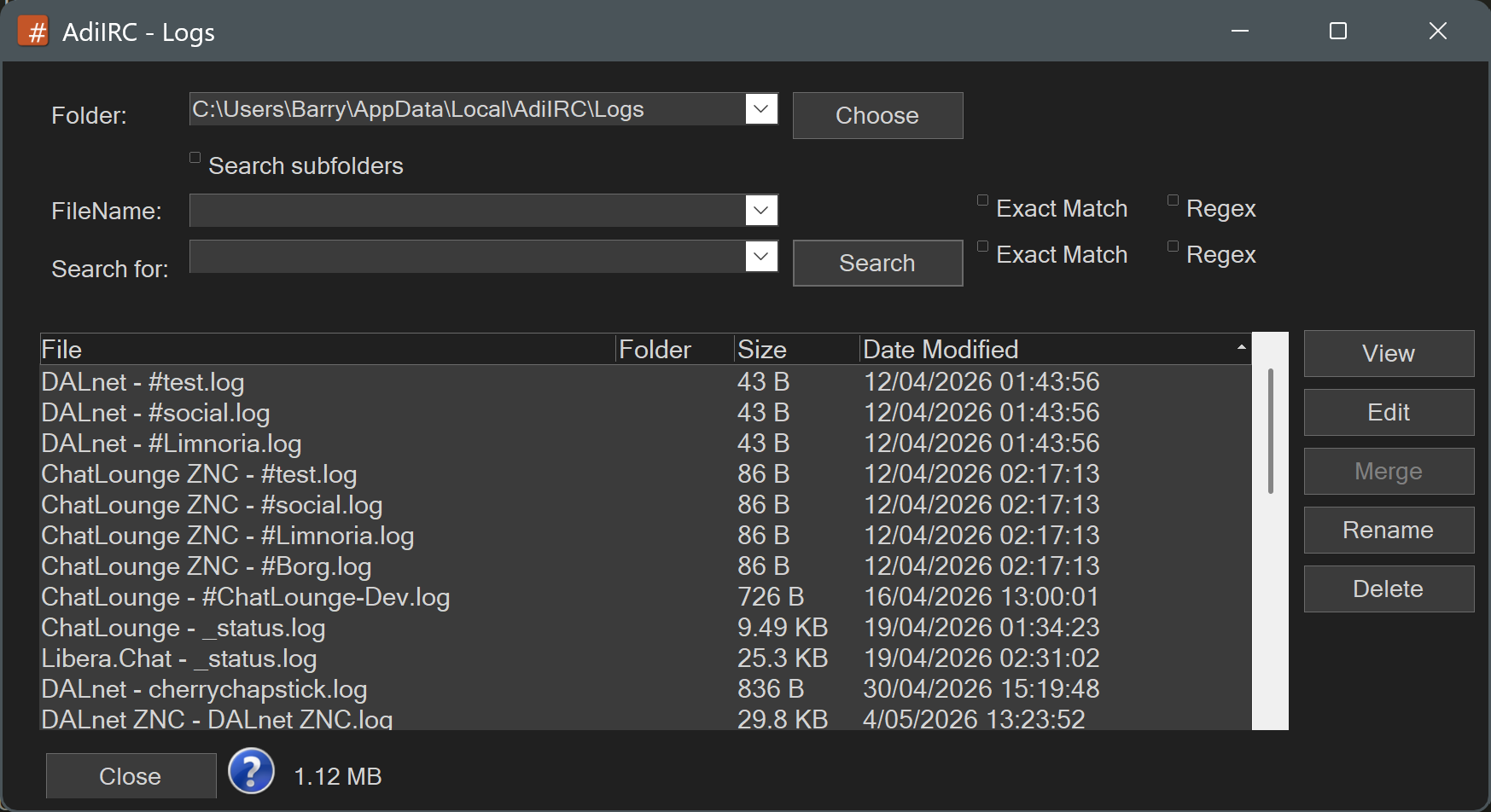
Here's a screen shot of the Logs tool. As you can see, no input and everything shows. LOCALAPPDATA\AdiIRC\Logs is populated. Once I attempt to filter the tool nothing shows.